Allow, Deny or Open. Open takes you straight to it.
1 running
Claude needs youin burrow-site
Bash npm run deploy …-- --prod
burrow-site — claude
Bash command
npm run deploy -- --prod
Do you want to proceed?
Try it
Claude is working…
Come see my desk.
Hover the notch.
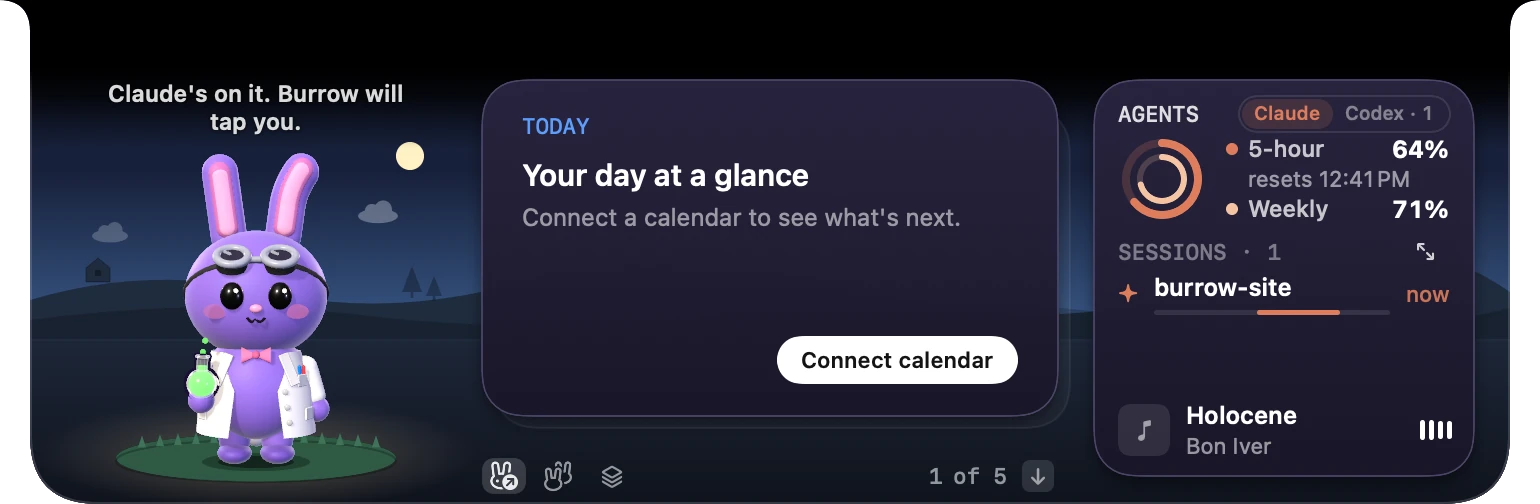
Your next meeting, your sessions and your music, one card at a time. More cards in the FAQ
Today
Note
Timer
Teleprompter
Shelf
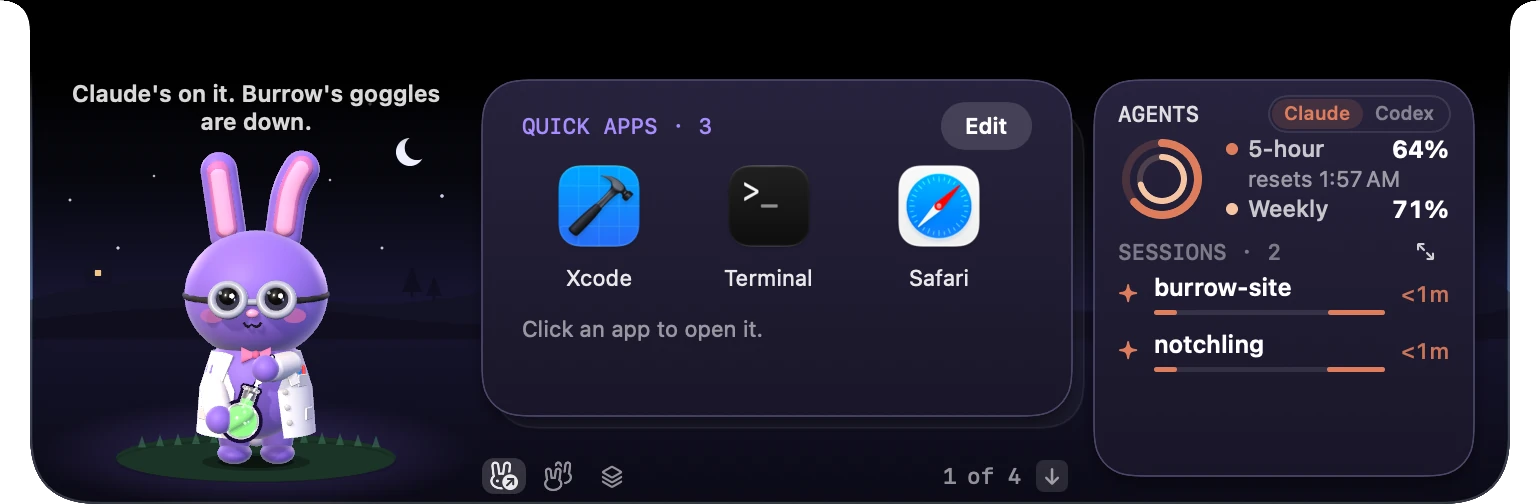
Quick Apps
GitHub
Mac Stats
Controls
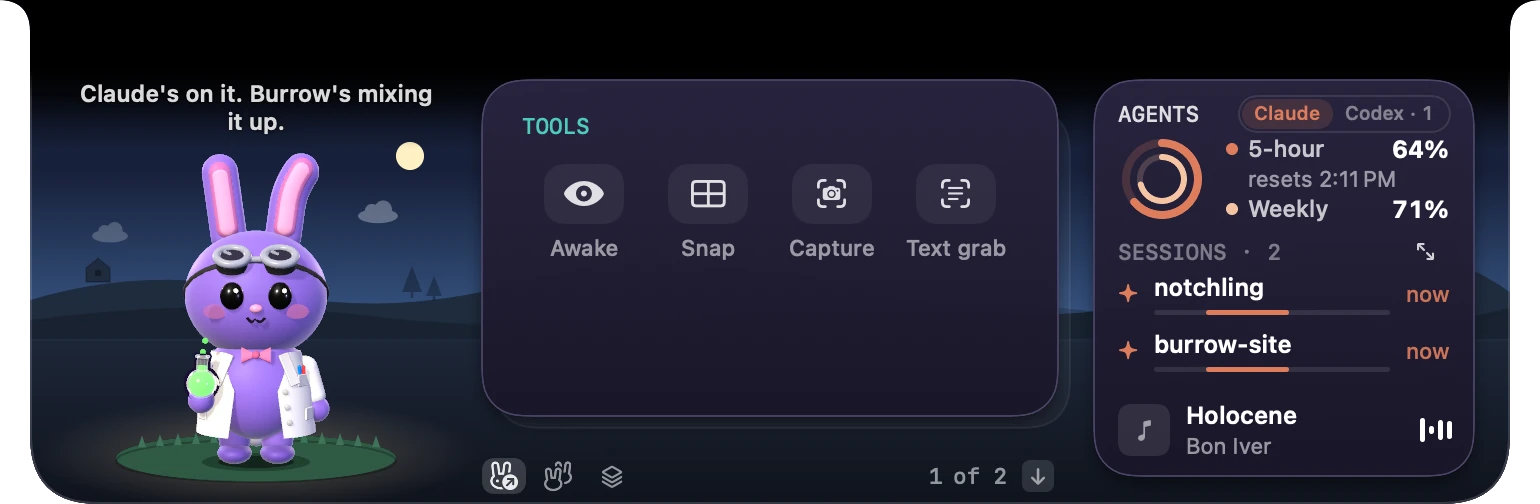
Tools
Quick Apps
Open Desk
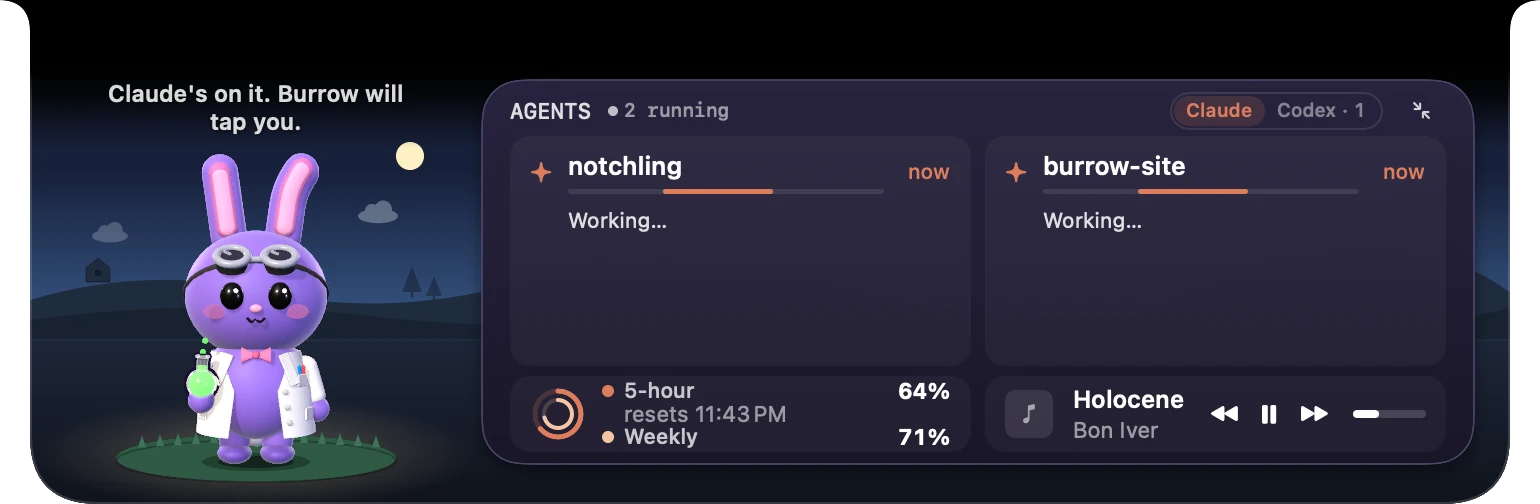
Agent View
Tools
Needs you
Charging
Closed
One notch. Every state.
Your next meeting
Five minutes before, you get a Join button.
All your sessions
Every Claude Code and Codex session at a glance.
Controls and Tools
Volume, brightness and sound output, plus Awake, Snap, Capture and Text grab.
What's playing
Play, pause and skip from the desk.
Carrot Cake Groove
The Burrow Band
0:48-2:44
Press play
Works with Apple Music and Spotify.
Four tools, a tap away.
Keep awake, window Snap, Capture and Text grab.
Awake
HELLO, MY NAME ISChip
TOOLS
Applies to your last window
Tap a tool
Keep awake: stop your Mac from sleeping.
Your script, right under the camera.
Teleprompter scrolls your script just below the lens, so your eyes stay near the camera. Add the card to your Desk, then press Control‑Option‑Space in any app to open it.
0:00
A demo of the Teleprompter strip. Press Play to scroll a sample script.
Press play
Read along, and change the speed or the text size as it scrolls.
Meet the crew.
BurrowThe bunny scientist
Take your buddy out of the notch.
Desktop Buddy stands on a glass lens anywhere on your screen.
Press Enter or Space to switch idle or working. Arrow keys move it.
I usually have a few Claude sessions going at once. Whenever I stepped away to water the plants or make lunch, I'd come back to a session that had been waiting the whole time for an answer.
So I made Burrow, a little buddy who lives in my notch. Burrow reacts to what my sessions are doing and taps me when one needs me. Nobody gets ghosted anymore, and I've gotten kind of attached to checking in on Burrow.
I hope Burrow and the crew make your days a little easier, the way they've made mine.
No. The buddy, your next meeting, your music and desk cards like Timer, Note and Shelf all work on their own. Claude Code and Codex alerts are the headline, and they start once you connect one in Settings.
Does it work on Macs without a notch?
Yes. Any Mac on macOS 14 or later works. MacBooks with a notch get Burrow right in it. On other Macs, Burrow draws its own little notch at the top of your main screen.
Do my requests leave my Mac?
No. Claude Code and Codex talk to Burrow on your own Mac, and the answer goes straight back to them. The app has no tracking. It goes online only to check for updates and for services you connect, like GitHub and Spotify.
Does Burrow see sessions on my other computers?
No. Burrow shows the Claude Code and Codex sessions running on this Mac. Sessions on another computer or in the cloud aren't visible to it.
What if I'm away when a request comes in?
Nothing gets lost. The session stays marked in the notch, so you see what needs you when you're back. Running several sessions? Each request waits its turn, in the order they came in.
Can I answer Claude's questions?
Yes, with Claude Code. When Claude asks you to pick an option, you pick it in the notch. Codex questions are answered in Codex.
Does it work with the Claude app?
Yes. Claude Code in Terminal or an editor, and Codex, ask you in the notch: Allow, Deny or Open. Sessions inside the Claude desktop app show up too, so you can see when they're working, waiting or done. When one needs permission, the card says Waiting on you with Open, and you answer in the Claude app.
What cards are there?
Today, Note, Timer, Teleprompter, Shelf, Quick Apps, GitHub, Mac Stats, Controls and Tools.
Can I change where my buddy hangs out?
Yes. On the Desk, tap Buddy & room and pick a room: Open sky, Cozy corner, Porch, Plain black, Beach, Café or Rooftop. The light follows your clock.
Why do I have to open a request before I can Allow it?
When a tool from a connected service asks (an MCP tool, if you know the term), the card says tool: name and shows the full request. Choose Show request, read it, then Allow. That way you only approve what you've read.
Can I hide Burrow quickly?
Yes. Press ⌥⌘B (Option-Command-B) and Burrow tucks away completely, which is handy for meetings and screen sharing. Press it again, or click the Show Burrow pill at the notch, to bring it back. It also hides in full screen unless you're needed, and it follows Reduce Motion.
What does Burrow ask permission for?
Each one has a single job. Calendar shows your next meeting and its Join button. Music and Spotify show what's playing. Accessibility lets Snap move windows and Screen Recording powers Capture and Text grab.
Is Burrow made by Anthropic or OpenAI?
No. Burrow is an indie app that works with Claude Code and Codex.
Give your notch a buddy.
A tiny friend that watches Claude Code and Codex for you.

 Psst. Claude needs you.